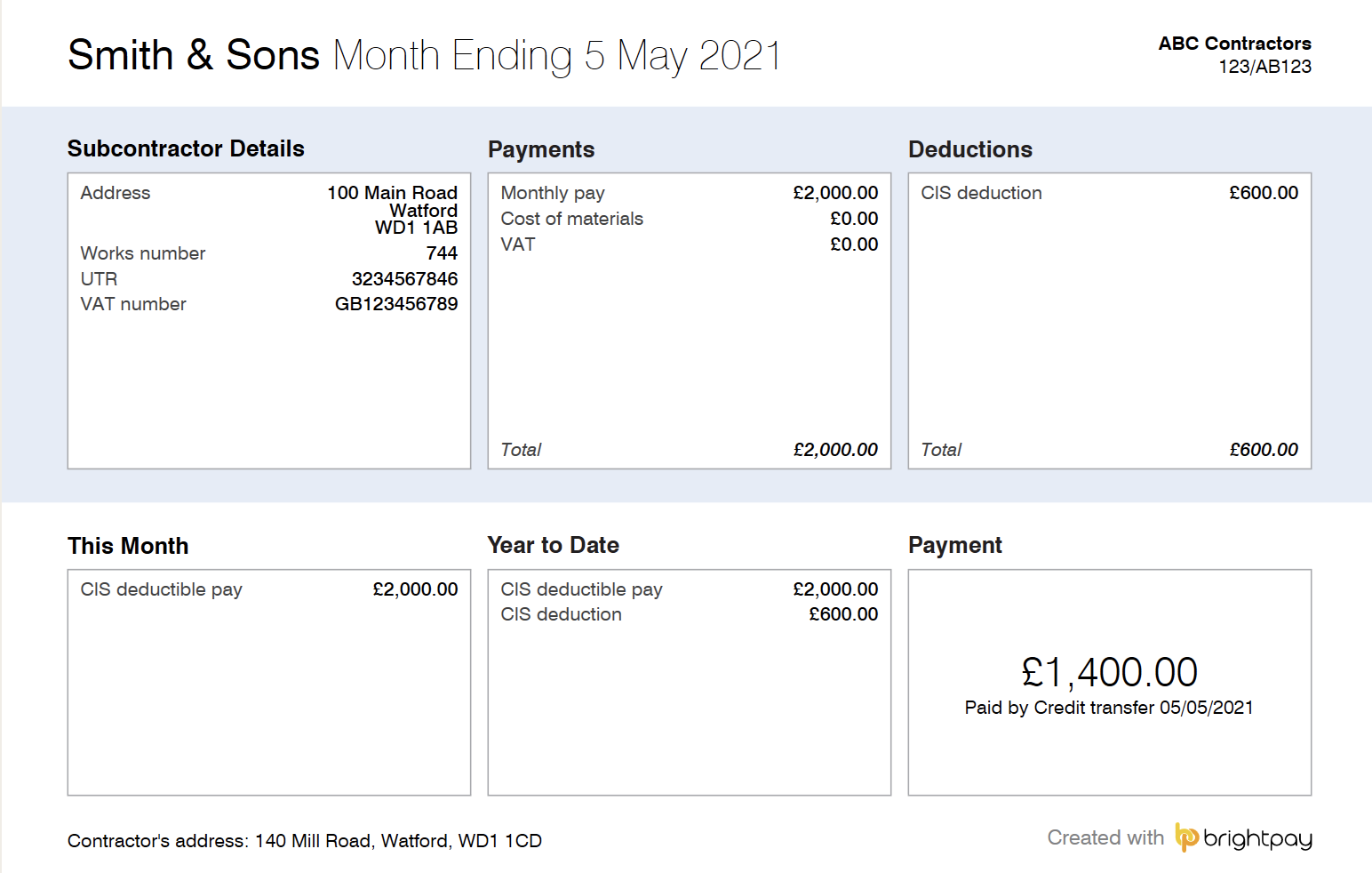
All subcontractors paid under deduction must be furnished with a Payment and Deduction Statement. HMRC state that this can be printed monthly or for each payment made.
- If you are operating the weekly pay frequency within BrightPay, then a statement will be produced for each payment.
- If you are operating the monthly pay frequency, then a monthly payment statement is produced.
To print/email/export the Payment and Deduction Statement click 'CIS' > 'Payments':
1) On the payment schedule bar, select the pay period you wish to produce the "Payment & Deduction Statement" for.
2) Click 'P & D Statements'
3) Select the preferred output i.e. Print/Email/Export (In order to email the statements, the subcontractor's email address must first be entered in the 'additional details' section of their record)
4) Select the subcontractors you wish to generate the statements for
5) Select a template design from the drop-down - users can choose from using the HMRC template or BrightPay's own template.
6) Click Print/Export/Email as required.