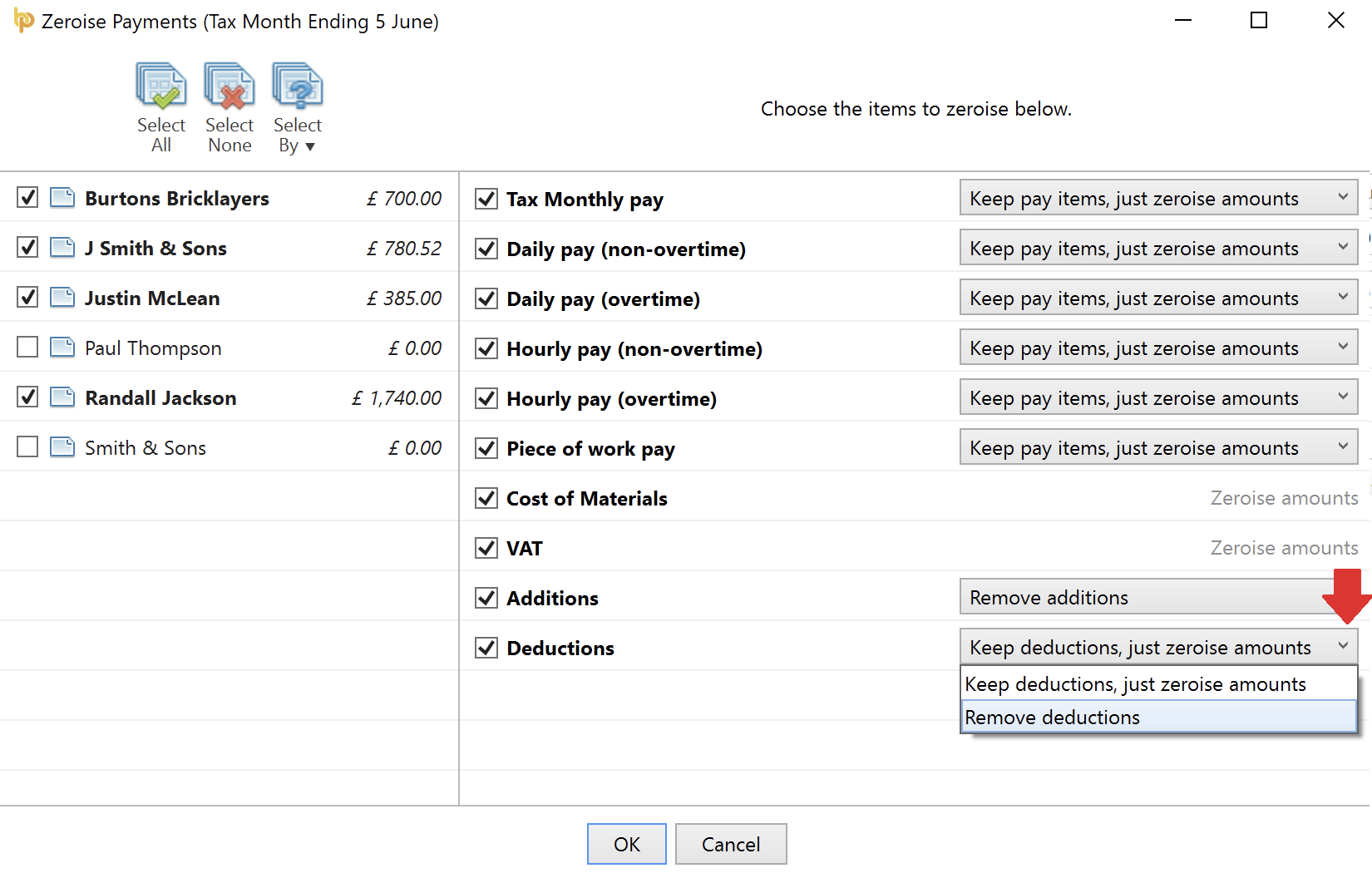
Should you wish to zero-ise subcontractor payments in a particular pay period, this facility is available within BrightPay.
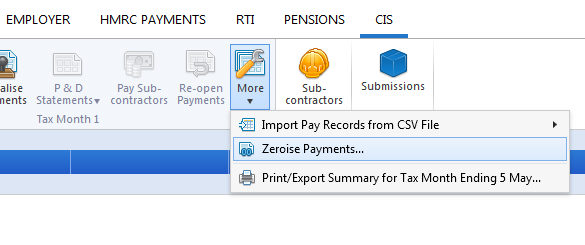
- Within 'CIS' > 'Payments', click 'More' on the menu toolbar, followed by 'Zeroise Payments'...
- Select the subcontractors for whom you wish to zero-ise their payments
- Select the items you wish to zero-ise
- For each item selected, where applicable, choose whether you wish to keep the pay item on the payslip and just zero-ise the amount or whether you would like to remove the pay item completely from the selected subcontractors' payslips.
- Click 'OK' to complete the action