
To record leave on an employee's calendar:
- click 'Employees' and select the required employee from the listing.
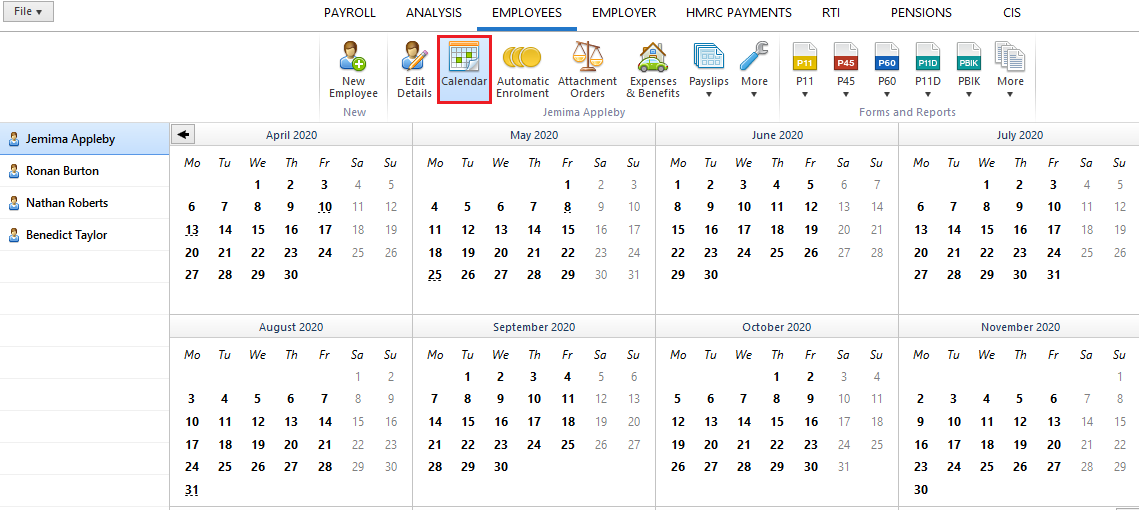
- Select 'Calendar' on the menu toolbar to display the employee's calendar on screen:
For the following types of leave:
- Annual Leave
- Unpaid Leave
- Absent or Strike Days
- User-defined Leave
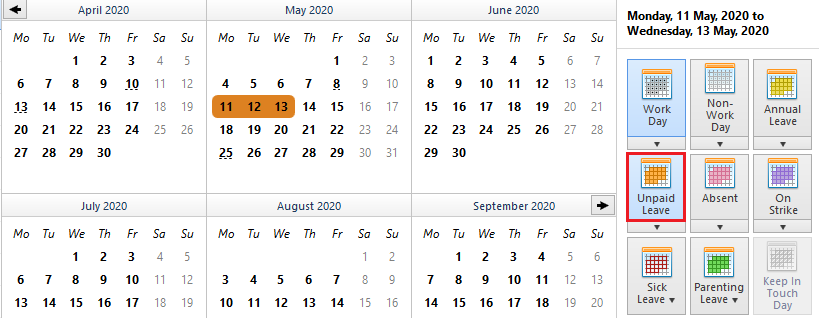
- Select the required date or range of days
- Select the appropriate type of leave from the listing of leave types offered on the right side of the calendar
- The selected day/date range will be flagged in the colour associated with the leave type chosen
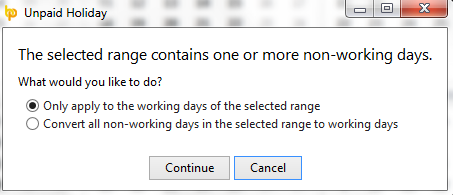
If a selected date range includes typical non-working days, BrightPay will prompt whether or not the typical non-working days should be included and flagged as the same leave type:
Sick Leave & Parenting Leave
For assistance with recording sick leave and parenting leave on an employee's calendar, please view the Statutory Payments help section within our Support section.
Un-doing Leave
If you wish to undo leave that you have recorded on the calendar, simply highlight the day(s) you have wish to undo and click the associated leave type option again on the right hand side. This will un-mark the leave.