
BrightPay facilitates the switching of an employee’s pay frequency should this be required.
Within the Payroll utility:
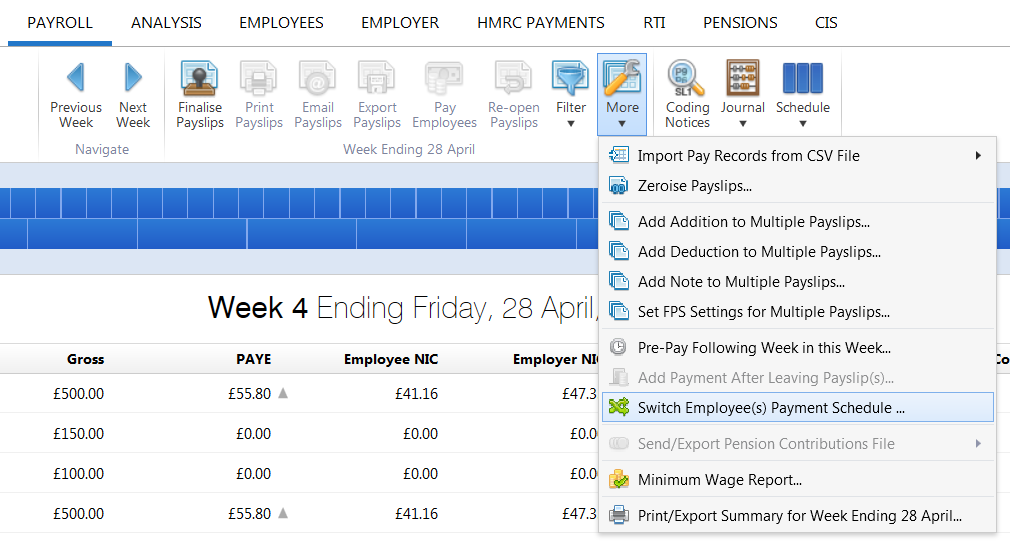
- Select the current open pay period on the payment schedule bar
- Click 'More' on the menu toolbar, followed by 'Switch Employee(s) Payment Schedule'...'
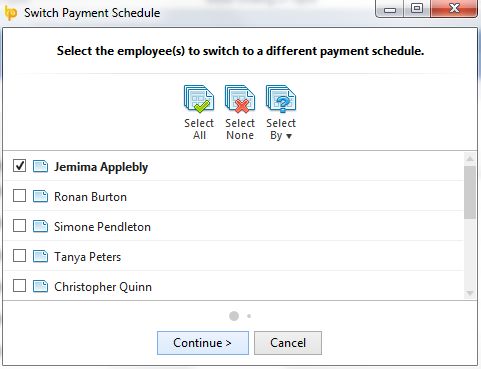
- Select the employee(s) you wish to switch and press 'Continue'
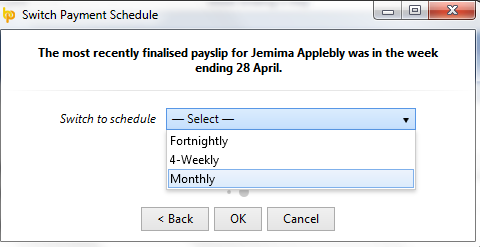
- Select the Schedule you wish to switch the employee(s) to:
- If you currently have no employees in the pay schedule you are switching to, enter in your ‘starting in’ date and ‘pay date’ required
- If you wish to update the employees’ basic pay amounts, also tick this option
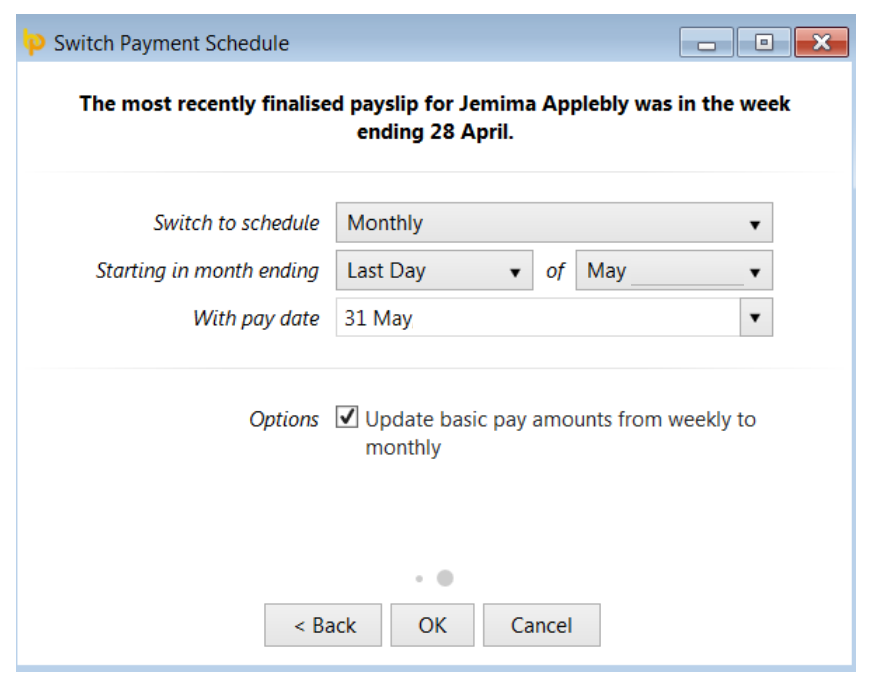
- Click 'OK' to complete the switch of pay frequency
Important Note: Care should be taken that pay frequencies are aligned when switching an employee from one pay frequency to another.
If the original pay frequency isn’t aligned with the selected pay frequency, BrightPay will notify you of this:
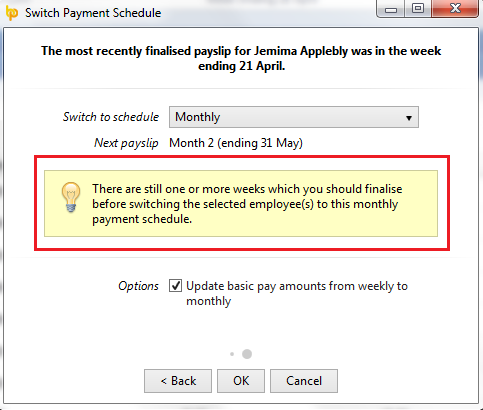
For example:
Weekly paid employees should only be switched to a monthly pay frequency when the week ending date in the current open weekly pay period is in line with the month you are switching to.