BrightPay includes the ability to retrieve and process employee PAYE coding notices directly from HMRC (P9, PB, P6B, SL1, SL2, PGL1 & PGL2).
BrightPay will also read any Scottish and Welsh tax indicators in P6/P9 notices, as well as the Plan type indicator in SL1 notices.
Please note: To use this feature, ensure the notice options in your HMRC PAYE dashboard are all set to Yes. Only new coding notices issued after this instruction will be available for download.
Within BrightPay, click the Payroll tab:
- Click Coding Notices on the menu toolbar
- Enter your HMRC Sender ID and password, if not already entered
- Click Check for Notices
Current coding notices will be displayed on screen. 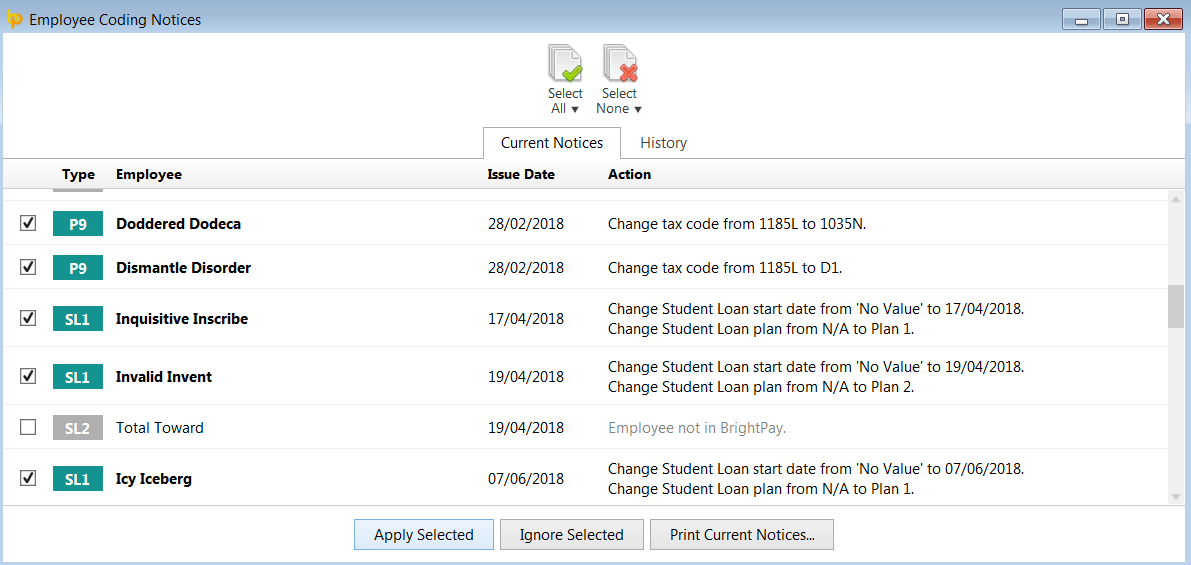
- Select the employees whose notices you would like to import and click Apply Selected
The employee record(s) will be updated accordingly to reflect the information within the notice(s).
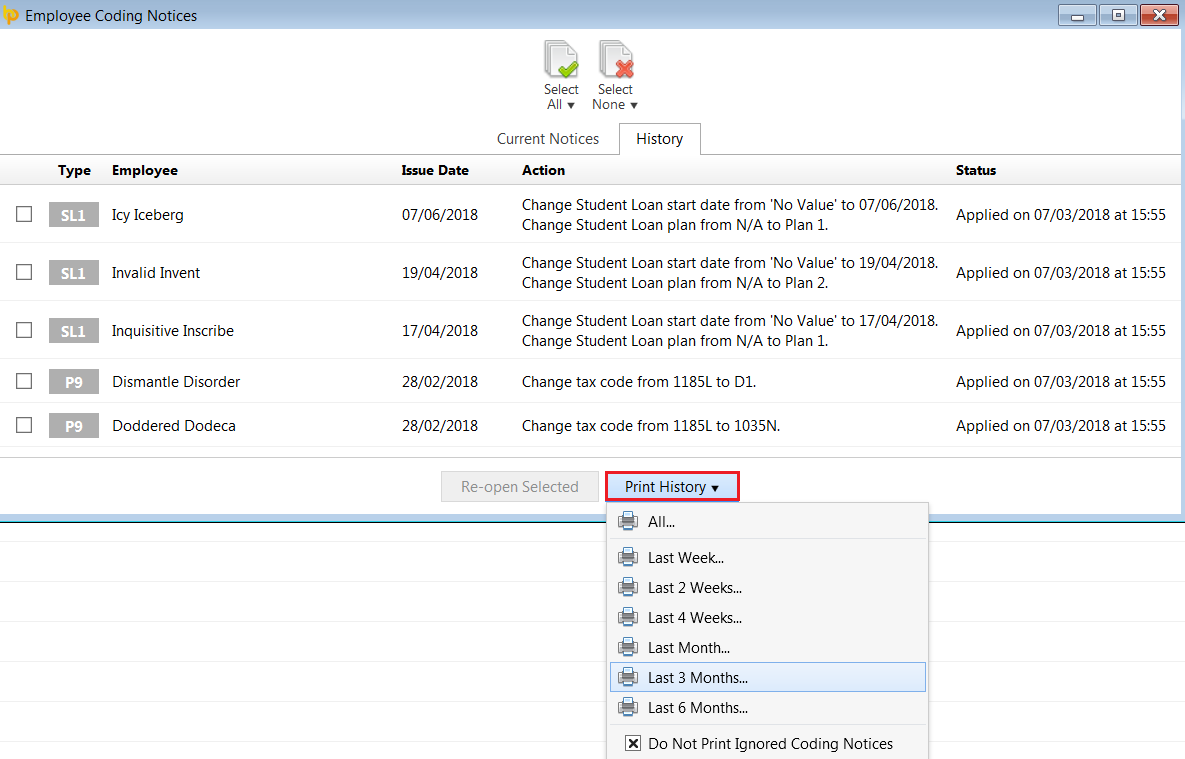
To view a history of employee coding notices that have been applied, click into the History tab. Coding notice history can be printed or emailed, as required:
Coding Notice Tracking
When availing of the Coding Notice utility in BrightPay, BrightPay will track the number of actionable coding notices retrieved from HMRC.
- The number of actionable coding notices will be displayed on the coding notices toolbar icon within the Payroll utility:

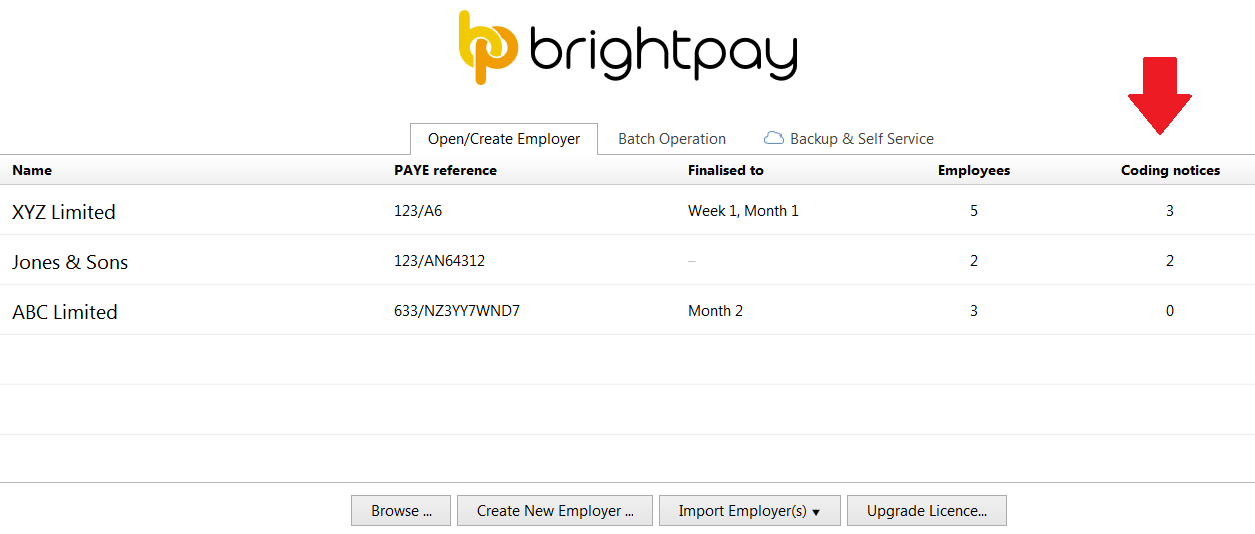
- 'Number of open coding notices' is also available to display as a column on the BrightPay starting screen: