A seamless switch facility is available within BrightPay to assist users in switching employees to a new pension scheme or to another group within an existing pension scheme.
- To switch an employee, first ensure details of the new pension scheme or group are set up within the Pensions utility.
- Next, go to Employees and select the employee you wish to switch. Access their Automatic Enrolment utility.
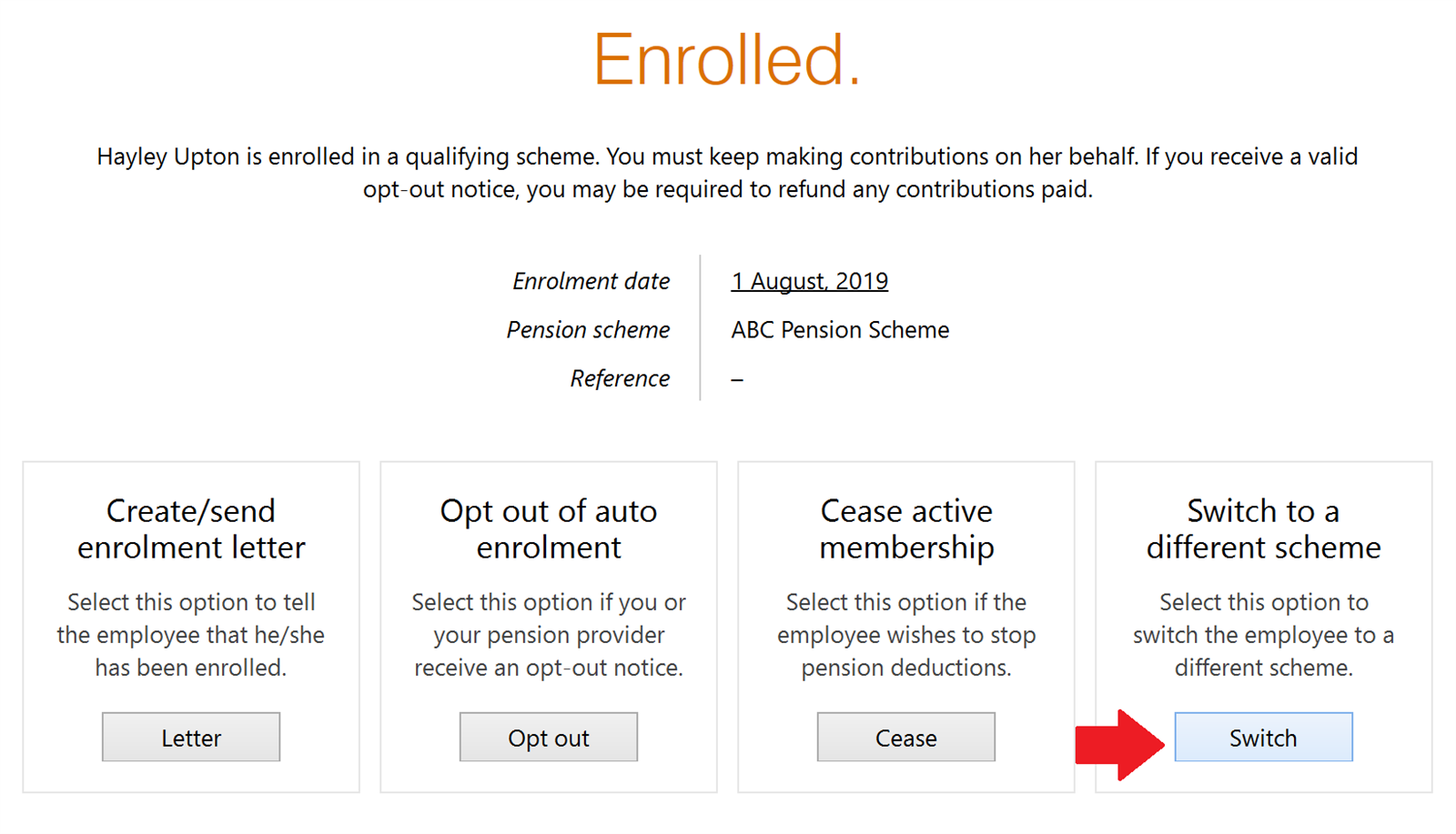
- Click the Switch button:
- Enter the applicable enrolment date and choose the scheme or group you wish to switch to:
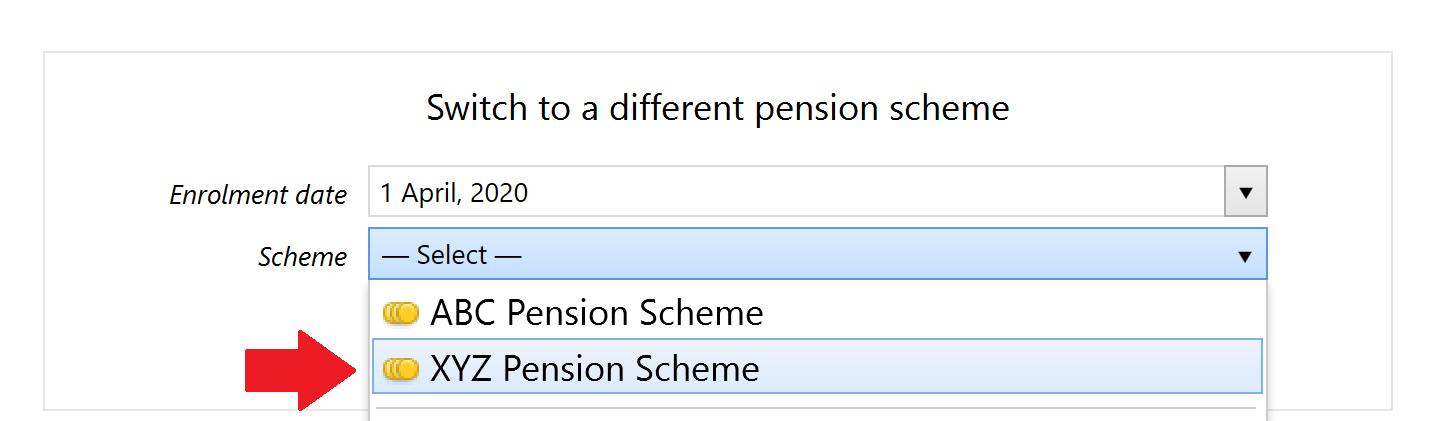
- Select the tax relief to apply and press Continue.
The employee will now be switched to the new pension scheme or group in BrightPay going forward.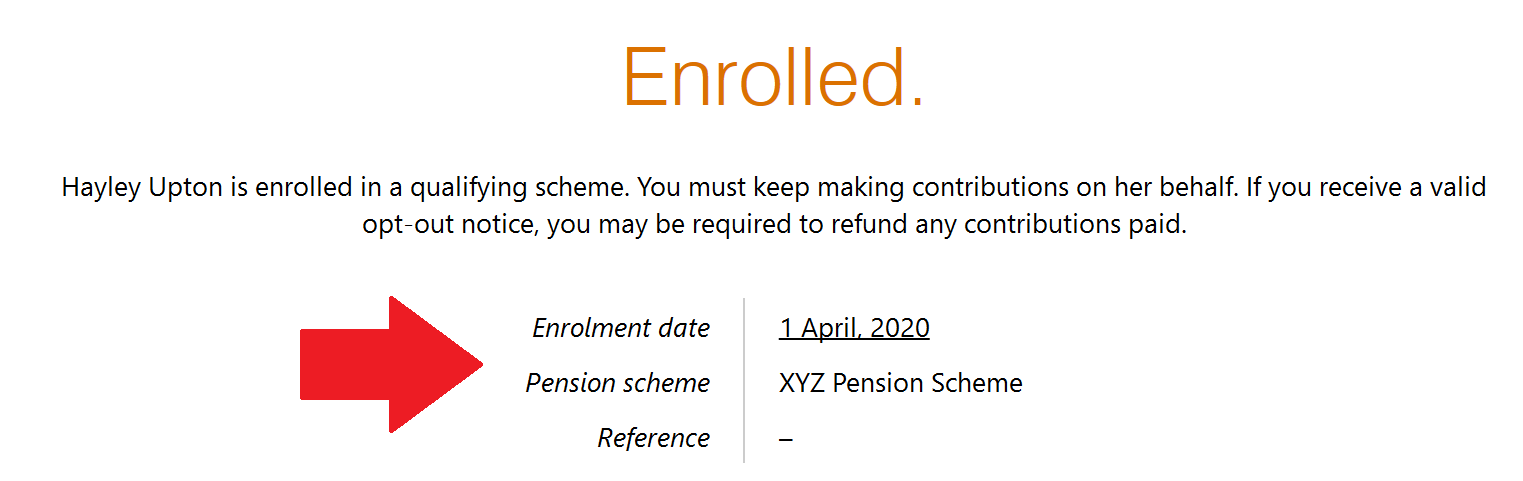
Batch Switching Employees
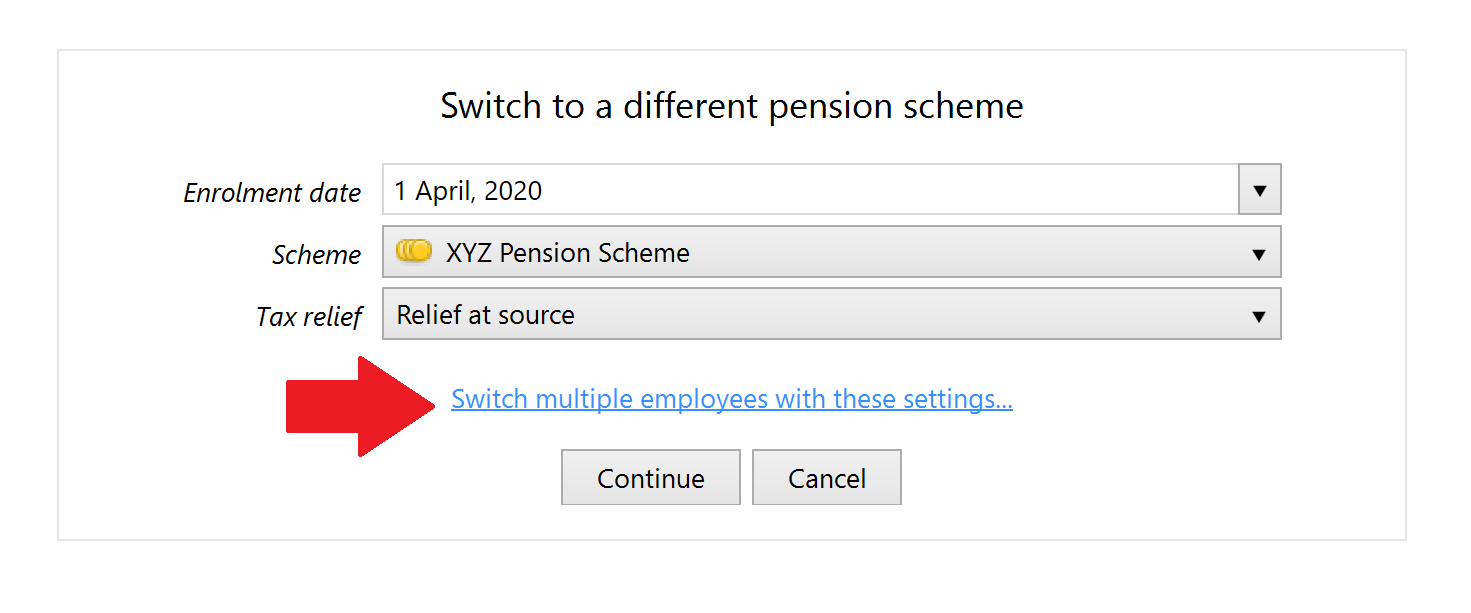
Should you wish to switch more than one employee to another pension scheme or group, a facility is available to switch these employees all at the same time.
After selecting the details of the new pension scheme or group you wish to switch to for one employee, simply click 'Switch multiple employees with these settings...'
Select the employees you wish to switch and click 'Switch Selected Employees' to complete the switch.